Detect HTTPS InspectionfromZscaler, Cloudflare, Netskope, Cisco Umbrella, Palo AltoZscalerCloudflareNetskopeCisco UmbrellaPalo AltoZscalerBypass SWG in One Click.
Your company may silently enforce an SWG via MDM to decrypt your HTTPS traffic—with no way to turn it off. SWG bar shows which domains are inspected and lets you bypass them in one click from your Mac’s menu bar.
Identify inspected domains and see the certificate evidence behind each result.
One-click domain bypass
Choose a domain to bypass your company’s SWG and keep its HTTPS traffic from being decrypted.
CLI & MCP for agents
Let your agent check domains and manage bypass rules directly.
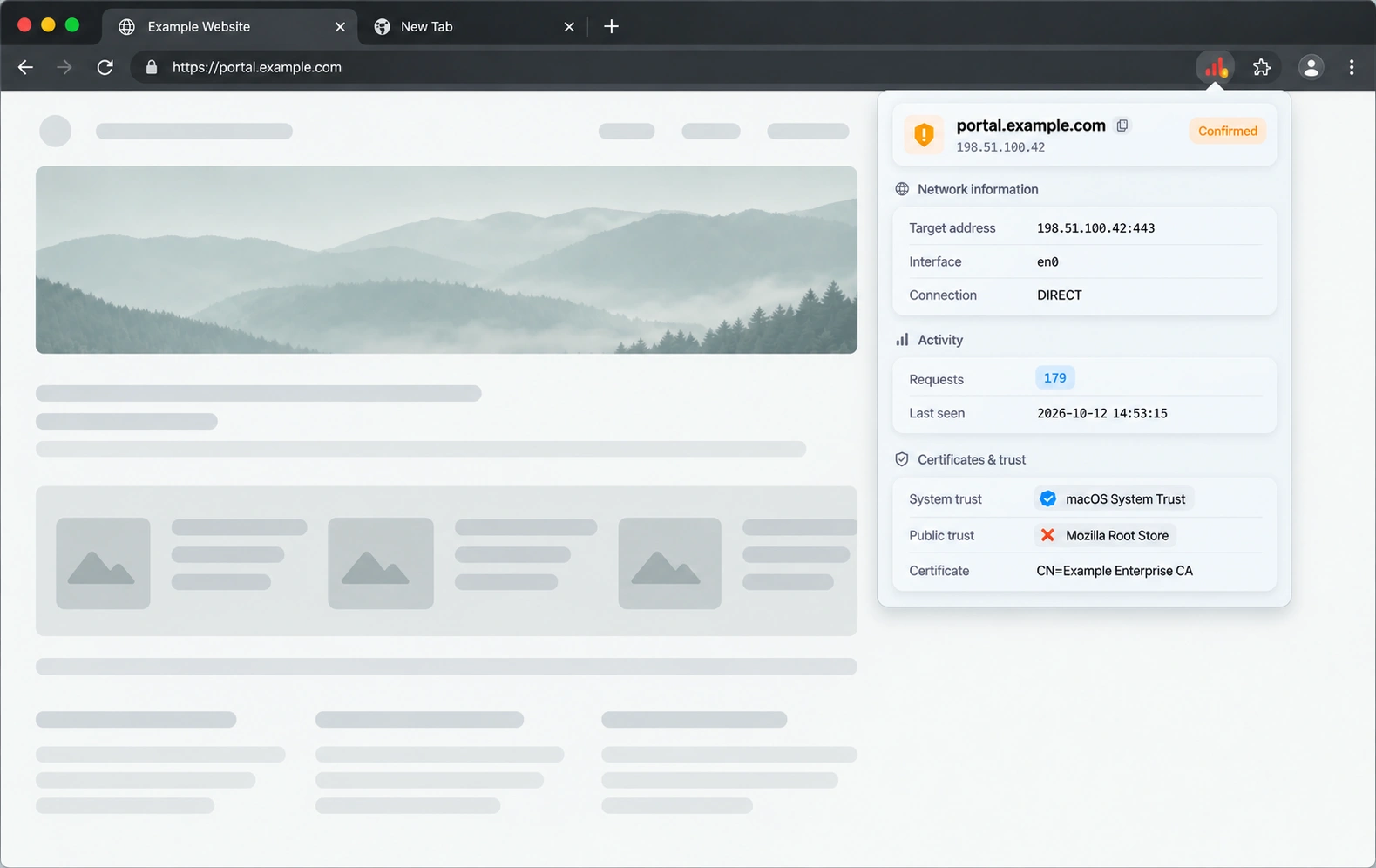
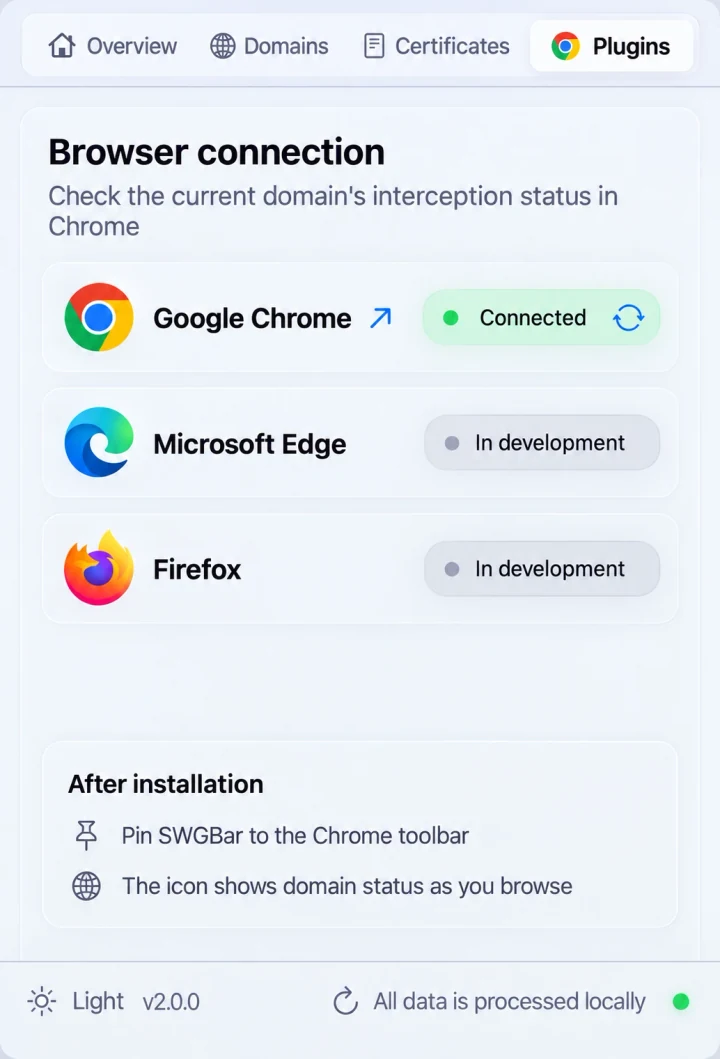
Chrome extension
See the current domain’s latest inspection result in Chrome’s toolbar as you browse.
01
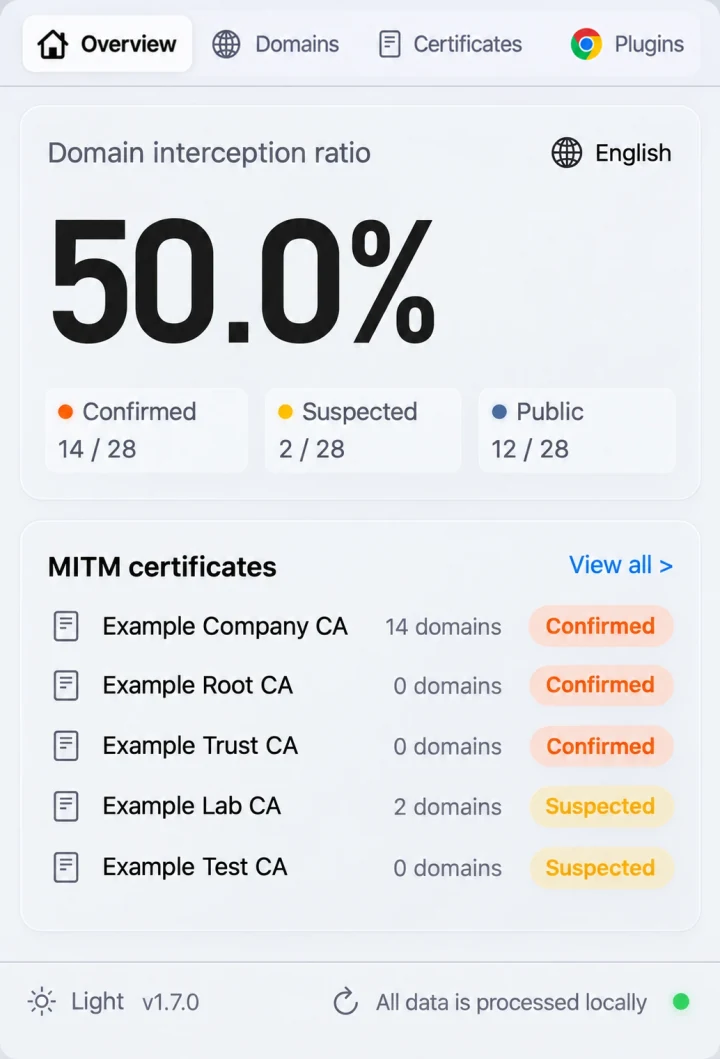
Overview
See what percentage of the domains you visit have their HTTPS traffic decrypted by your company’s SWG.
FinderFileEditView
50.0%
9:41
Illustrative product preview · Example data
02
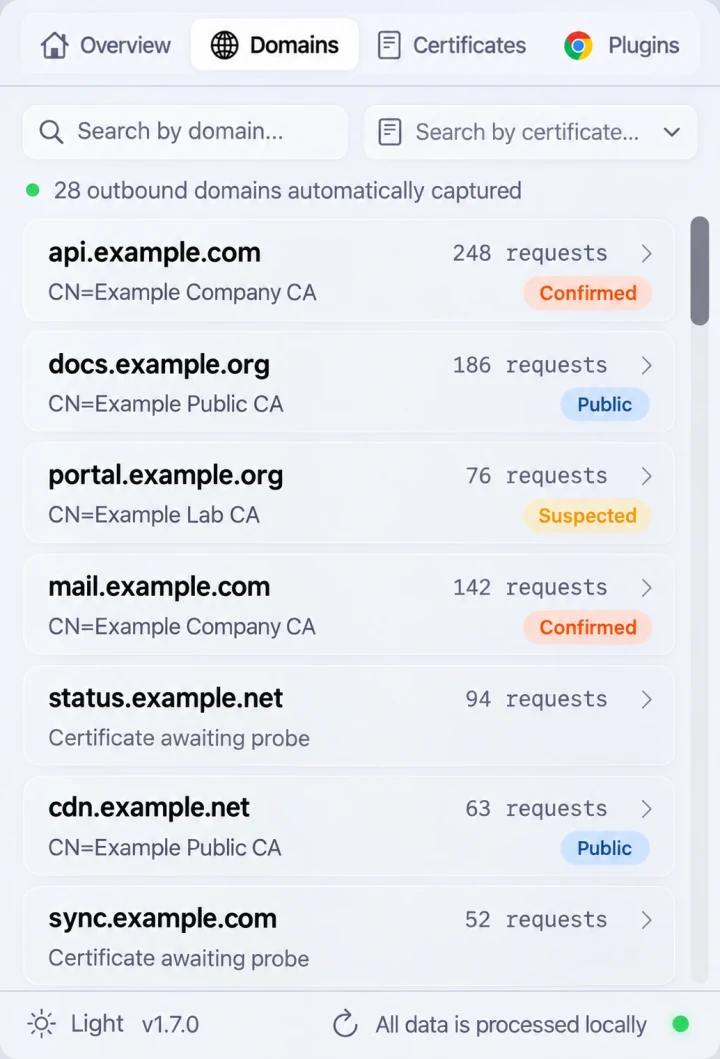
Domains
Look up a domain to see its latest inspection result and the certificate details behind it.
FinderFileEditView
50.0%
9:41
Illustrative product preview · Example data
03
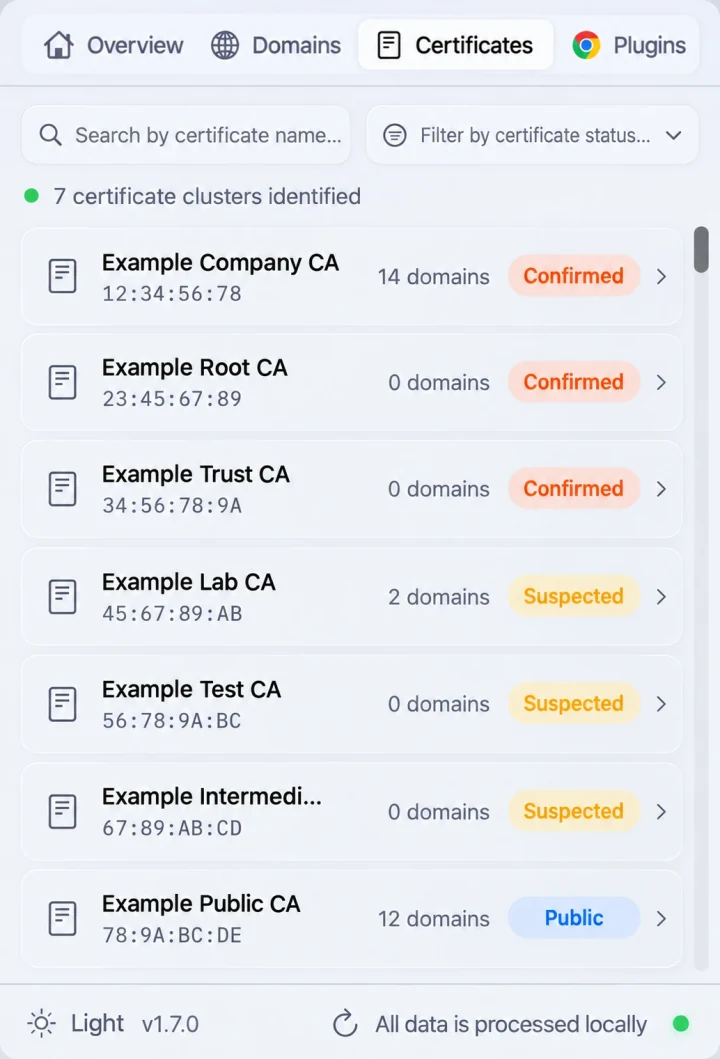
Certificates
See the
MITM?
What is MITM?
MITM means “man-in-the-middle”: an intermediary between your Mac and a website. For HTTPS inspection, your company’s SWG uses a trusted inspection certificate to decrypt, inspect, and re-encrypt traffic.
A secure web gateway (SWG) sits between employees and the Internet, helping companies filter web traffic, block threats, and enforce access policies. When HTTPS inspection is enabled, it can decrypt, inspect, and re-encrypt web traffic. Learn more from Cloudflare.
Why do I need SWG bar?
Your company may use a secure web gateway (SWG), such as Zscaler, Netskope, or Cloudflare Gateway, to inspect your web traffic. If your Mac is enrolled in your company’s mobile device management (MDM) system, IT can install trusted root certificates without asking you to approve each one. See how enterprise SWGs inspect HTTPS on a Mac.
How do I tell if my Mac is being intercepted by an SWG (HTTPS inspection)?
Open SWG bar → Overview (or run swgbar overview in Terminal) and check the Domain interception ratio percentage. A percentage greater than 0%—along with Confirmed or Suspected entries and root CAs listed under MITM certificates below—shows that HTTPS domains on your Mac are being intercepted and decrypted by an SWG or local CA instead of using a public certificate chain. Read how to tell if your Mac is intercepted by an SWG.
How do I bypass SWG for a domain on macOS, and how does it differ from a TLS exception?
In SWG bar on macOS 14+ (Apple Silicon), open Domains, select a hostname, and enable Bypass SWG to route that hostname without gateway decryption. An administrator-managed TLS inspection exception keeps traffic on the gateway while skipping decryption. See how to bypass SWG on a Mac.
Why do git, npm, Python, or AI coding tools fail with TLS certificate errors behind an SWG?
Command-line tools and AI coding clients often use their own CA bundles rather than macOS Keychain, so they reject certificates re-signed by a corporate SWG. You can inspect the affected hostname and root CA in SWG bar—or via CLI and MCP—before choosing CA trust, a TLS exception, or domain bypass. Troubleshoot TLS certificate errors on macOS.
Where is my data stored, and does it leave my Mac?
Domain records, certificate details, detection results, and all other detection data are stored and processed on your Mac. None of this data is uploaded to our servers. The Chrome extension accesses these records through a local connection.
Does SWG bar affect my network?
By default, SWG bar checks certificates through separate background connections without proxying or modifying your browsing traffic, keeping CPU and memory use low. Network routing only changes for specific hostnames where you explicitly enable SWG bypass. See how SWG bar works.
What is the difference between Confirmed and Suspected inspection?
Both mean macOS trusted a local root CA while public CA validation failed. Suspected means that local root CA has appeared across 1 to 15 distinct public domains so far; once the same root CA signs certificates for 16 or more distinct domains (or matches an inspection rule), those domains become Confirmed. Compare Confirmed vs. Suspected inspection.
Does SWG bar install its own root certificate or throttle probes?
No. SWG bar never installs a root CA, takes control of private keys, or saves HTTP message bodies. Automatic probes are capped at 12 per minute, 300 per hour, and 1,000 per day, and you can switch to Manual probes only mode at any time. Read about permissions, privacy, and probe limits.
Why does Bypass SWG show Recovering or Paused, or require a hardware interface?
Per-domain SWG bypass in version 2.4.12 routes new connections through a connected physical (Hardware) IPv4 interface while SWG bar stays running. Quitting the app, pending macOS Network Extension approval, or a strict full-tunnel VPN with no physical IPv4 gateway will show Paused or Recovering. Troubleshoot SWG bypass states on Mac.
Why do some desktop apps fail even after MDM installs the company root certificate?
Apps using TLS certificate pinning verify an embedded server public-key fingerprint instead of relying solely on macOS Keychain, and mutual TLS (mTLS) requires end-to-end client authentication—both fail when an SWG decrypts traffic. Check the domain in SWG bar and request a TLS exception or use authorized bypass. Learn why certificate pinning and mTLS break.
Can Claude Code, Cursor, or terminal scripts automate SWG bar?
Yes. SWG bar includes a native swgbar CLI (supporting --json output) and a built-in local MCP server over stdio, so AI coding clients such as Claude Code, Cursor, Windsurf, and Claude Desktop can query domain inspection evidence and manage bypass rules locally. Connect Claude Code, Cursor, and MCP to SWG bar.
How do the free trial and pricing work?
Try SWG bar free for 14 days of use. Only days you use the app count, and no credit card is required. Personal is US$4.99 per license; Team is US$3.99 per license, starting at 5 licenses. Pay once, with lifetime software updates included and no subscription.
What is the refund policy?
You can request a full refund within 7 calendar days of purchase. Email [email protected] with your order number and the email address you used at checkout. We respond within three business days. This does not affect your statutory consumer rights.
Guides & Free Tools
Built for every major corporate SWG and macOS dev tool.
Diagnose certificate errors instantly, check whether your work Mac is decrypting HTTPS, or follow vendor-specific bypass guides.







 Chrome