
Confirmed vs. Suspected HTTPS inspection in SWG bar
Understand how SWG bar classifies domains as Confirmed, Suspected, Public trust path, Intranet, or Unknown—and how those counts drive Overview's interception ratio.
SWG bar · Updated
When you open SWG bar → Overview or Domains, each probed hostname receives one of five status labels: Confirmed, Suspected, Public trust path (Public), Intranet, or Unknown. Together, Confirmed and Suspected determine the Domain interception ratio percentage at the top of Overview.
How SWG bar compares macOS trust with public roots
For every probed hostname, SWG bar opens an independent outbound IPv4 TLS connection and evaluates the presented certificate chain against two trust baselines:
- macOS System Trust: Evaluates whether macOS trusts the chain—including any root CAs installed via enterprise mobile device management (MDM) or local user keychains.
- Public CA validation (Mozilla Root Store / Apple public system roots): Checks whether the exact same certificate chain is accepted solely by public certificate authorities without extra locally added roots.
When macOS System Trust passes but Public CA validation fails, macOS is trusting the site through an extra local root anchor rather than a standard public CA.
What each classification label means
| Status | Meaning | Why it appears |
|---|---|---|
| Confirmed | High-confidence HTTPS interception. | Public CA validation failed and macOS trusted a locally added root CA that either matches a known/registered inspection rule or has signed certificates across 16 or more distinct domains. |
| Suspected | Local root CA observed, below confirmation threshold. | Public CA validation failed and macOS trusted a locally added root CA seen across 1 to 15 distinct public domains (for example, an SWG encountered early in browsing or a local lab/dev proxy CA). |
| Public trust path | Verified against public roots. | The probed connection presented a certificate chain trusted by public CAs, without relying on a local inspection root—though an SWG may still forward encrypted traffic or apply a TLS inspection exception. |
| Intranet | Internal network destination. | The target resolves to a private or reserved IP address range (such as RFC 1918) or an .internal hostname rather than a public internet domain. |
| Unknown | No conclusive trust result yet. | The domain has not finished probing, timed out, failed TLS verification in macOS, or could not be reached over IPv4. |
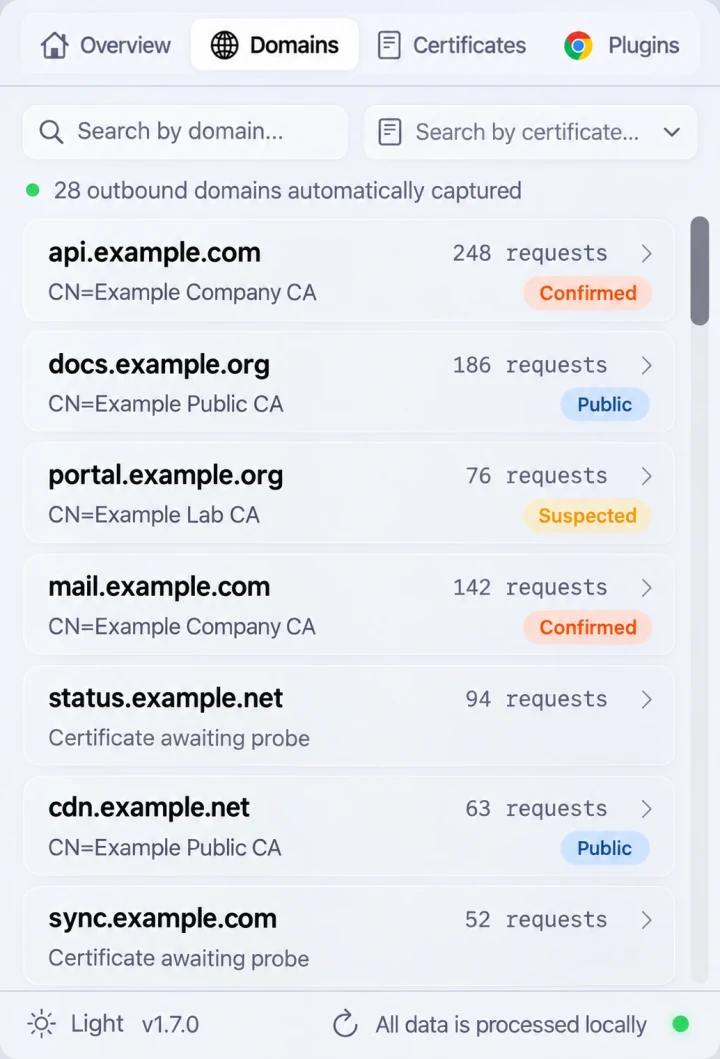
Illustrative Domains preview: domains classified as Confirmed or Suspected contribute to Overview’s Domain interception ratio.
Why a domain moves from Suspected to Confirmed
When you first install SWG bar on a Mac behind a corporate gateway, an unfamiliar enterprise root CA can initially appear as Suspected while only a few hostnames have been probed. As you visit more HTTPS websites and SWG bar sees that same local root CA re-signing certificates across 16 or more distinct domains, domains signed by that root cluster automatically upgrade to Confirmed, and the Bypass SWG action becomes available on those domain detail screens.
You can check the current distribution from Terminal anytime using the CLI:
swgbar overview
swgbar domains list --status confirmed --page 1 --page-size 20
swgbar domains list --status suspected --page 1 --page-size 20
How to verify before acting
A Confirmed or Suspected badge is evidence about the probed TLS connection, not an automatic indication of unwanted tampering—company gateways and local debugging proxies legitimately use locally trusted CAs. Before enabling per-domain SWG bypass, open the Certificates tab to inspect the MITM root certificate details and confirm the issuer matches your organization’s gateway or local proxy.