
Inspect MITM root certificates & issuers in SWG bar
Use SWG bar's Certificates view and CLI to check Issuer, Common Name, Organization, Validity dates, SHA-256 fingerprints, and affected domains on macOS.
SWG bar · Updated
Seeing a Confirmed or Suspected badge tells you that HTTPS certificates are being re-signed locally, but the Certificates view tells you which root or intermediate authority is doing the signing and every domain affected by it.
Browse certificate clusters in the Certificates tab
- Open SWG bar from your Mac menu bar and select Certificates (or click View all > next to MITM certificates in Overview).
- Filter or search by certificate name (
Search by certificate...) or status (Confirmed vs. Suspected). - Click any certificate cluster to open its detail view and inspect:
- Issued to and Issuer (
Common name (CN),Organization (O),Organizational unit (OU)). - Validity (
Issue dateandExpiration date). - Public key and SHA-256 fingerprints (with one-click copy).
- Associated domains listing every observed hostname whose probed chain terminated at this certificate cluster.
- Issued to and Issuer (
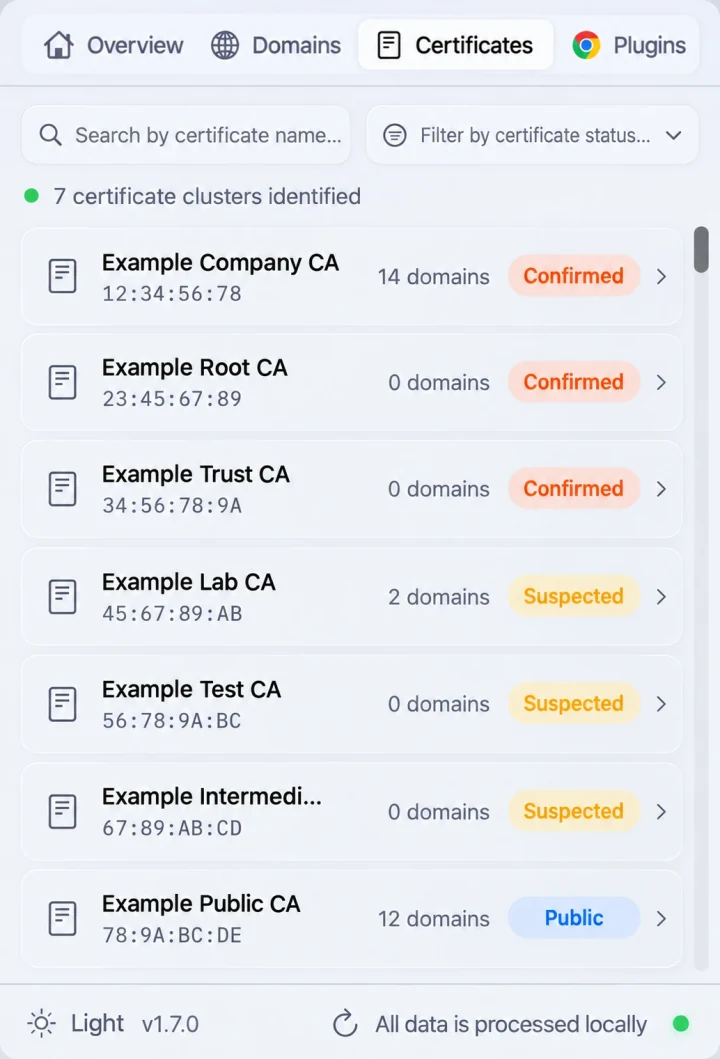
Illustrative Certificates preview: group inspected domains by their signing certificate authority.
Inspect certificates from Terminal or MCP
For automation, audits, or troubleshooting CLI and AI tool certificate errors, you can retrieve the exact same certificate cluster metadata via the SWG bar CLI or MCP server:
swgbar certificates list
swgbar certificates list --status suspected
swgbar certificates detail "<certificate-name>" --json
Passing --json outputs structured issuer attributes, validity timestamps, SHA-256 fingerprints, and associated hostnames that you can compare with your IT documentation or feed into jq.
Distinguish corporate SWG roots from local proxies
Inspecting the Organization (O), Common name (CN), and Associated domains list helps you separate different sources of local TLS interception:
- Corporate SWG / MDM root CA: Typically names your company or gateway vendor (for example Zscaler, Netskope, or Cloudflare Gateway) and signs dozens of unrelated public websites across your browsing history. Read Enterprise SWG & MDM HTTPS inspection on a Mac.
- Local debugging proxy: Tools such as Charles, Proxyman, or mitmproxy install a local user-trusted root CA when explicitly started for HTTP debugging.
- Internal PKI: Signs only private corporate subdomains or
.internalservices rather than third-party internet sites.
Next checks
If you need to cross-check an observed SHA-256 fingerprint independently against macOS Keychain or raw OpenSSL output, follow Verify TLS certificates with openssl and security verify-cert on macOS. If a specific hostname needs direct routing without gateway decryption, see How to bypass SWG on a Mac.